Windows 10 / 11 and macOS 11+ — v1.0.0
The first stop
for your photos.
Import from your camera card and browse large RAW collections right away. Not a place to develop photos — a place to keep them. Those two things only, written in Rust, with everything we did not build spent on speed instead.
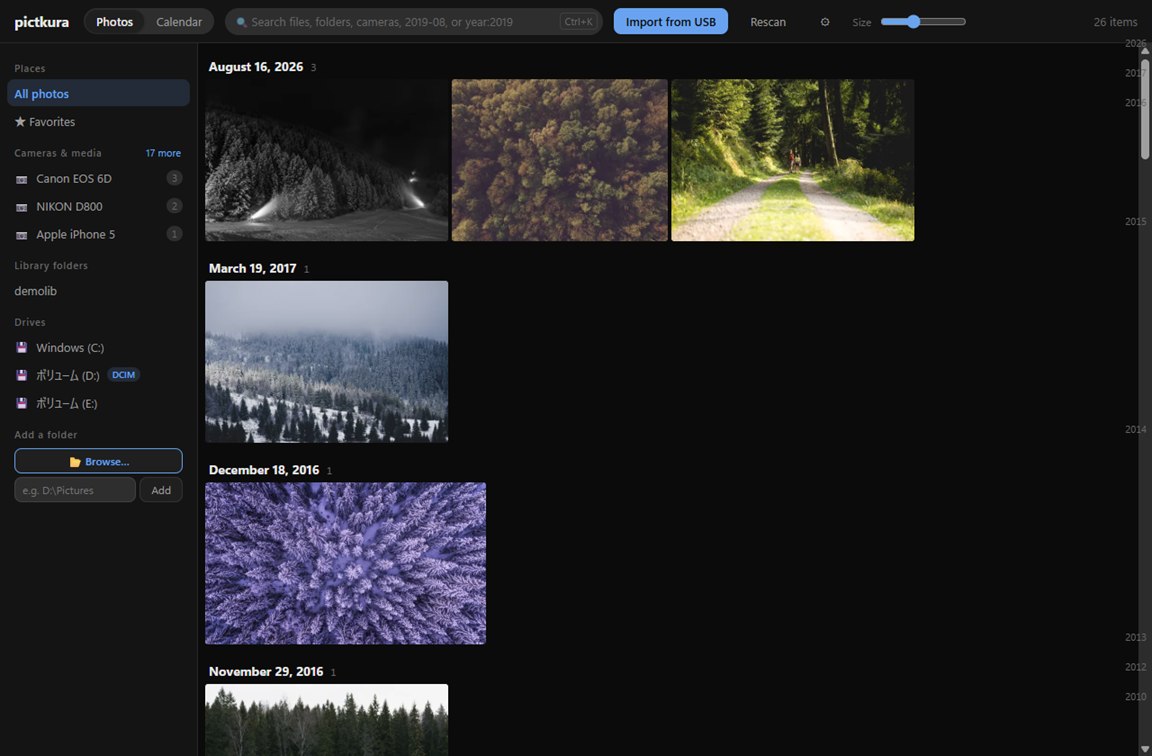
The library, laid out by date. Drag the bar on the right edge to cross years at once.
Starting at the card slot
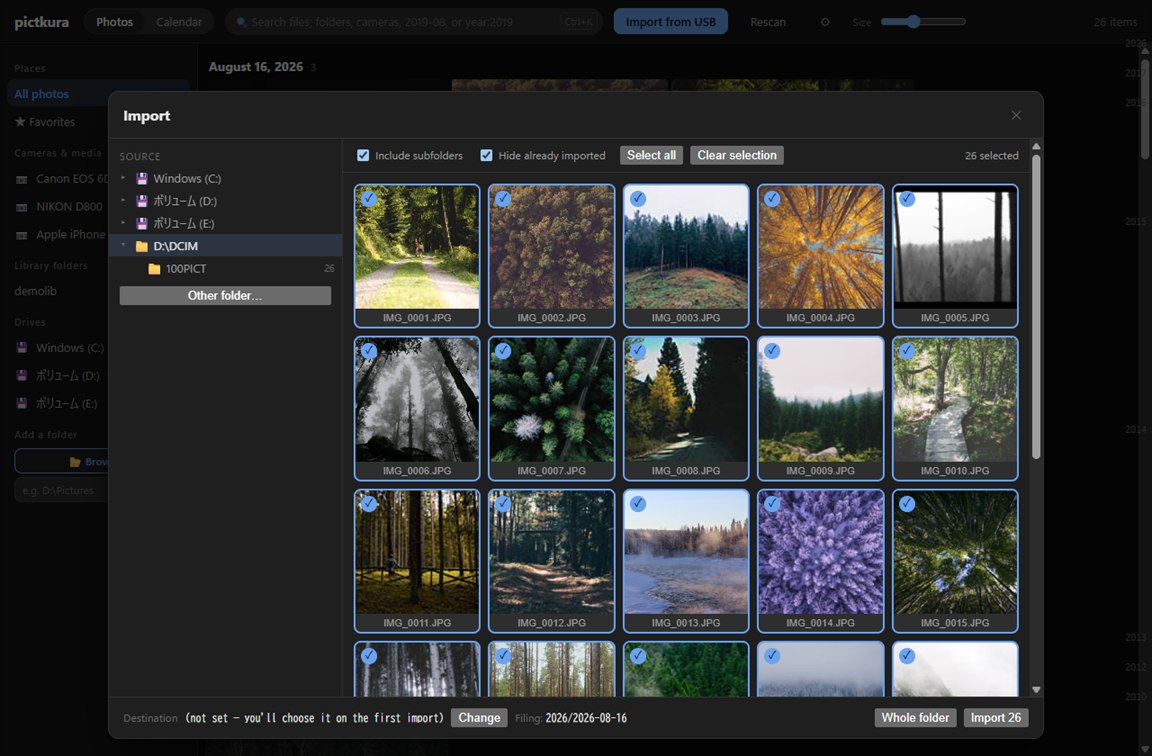
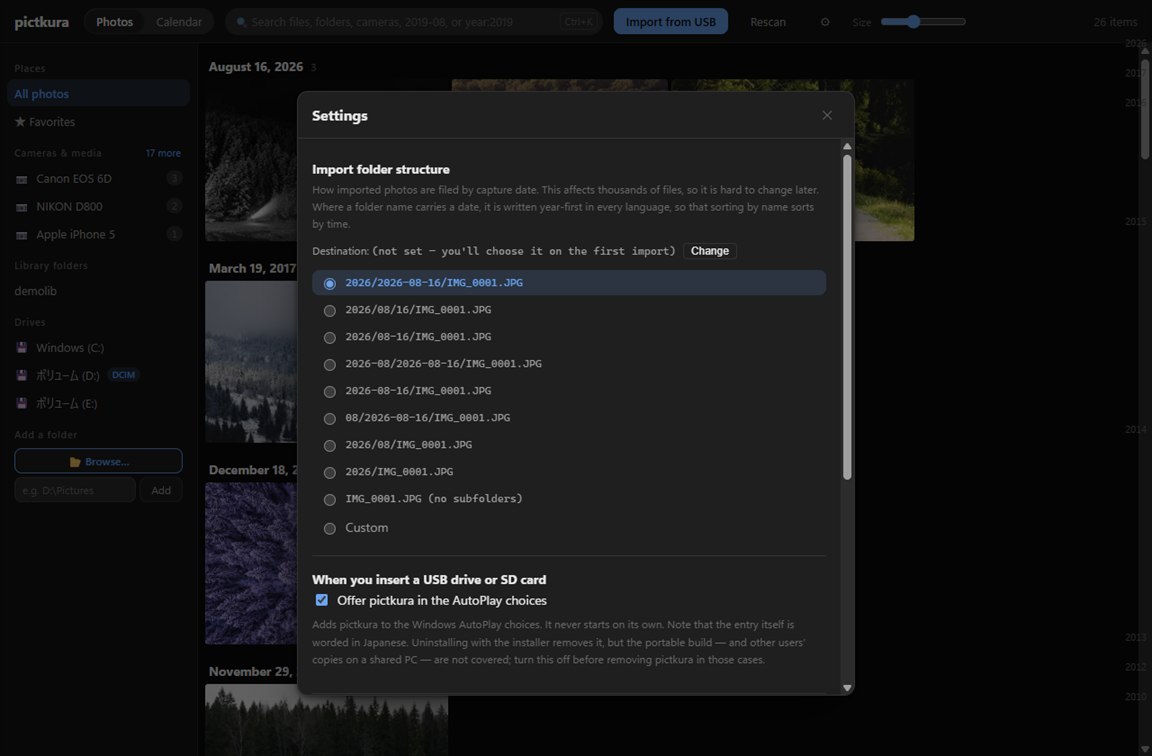
Copy to any folder you like. Files are filed by capture date using one of nine presets, or a pattern you write yourself, such as {year}/{month} — the resulting folder name is shown as you type.
Sidecars travel with the photo
An .xmp or .dop written by a raw developer shares the photo's name, and comes along with it.
"Already imported" cannot drift
Hiding what you already have uses the same check as the importer, so what you see matches what would happen.
Sizes are verified after each copy
Progress, time remaining and the photo currently being copied are all shown while it runs.
Import them. See them right away
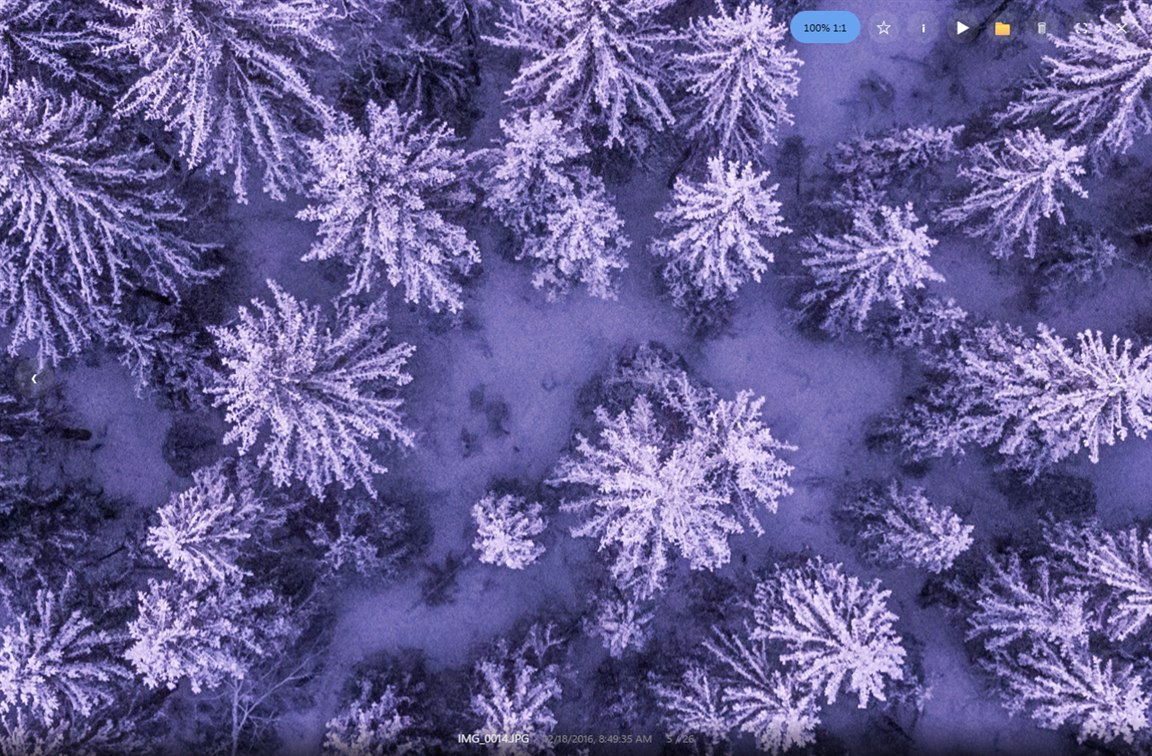
Two shelves for choosing
POne frame out of a burst
⚑ is a separate shelf from ★ favorites, so the leftovers of a culling session never fill up what you love.
XRejecting deletes nothing yet
Closing the viewer shows you the faces first, then moves them all at once. Deleting always goes through the recycle bin.
For photos you will come back to
The search box takes ★, camera:α7 or 2019-08 as they are.
Maybe your photo folder looks like this.
Photos are still on the card.
Years of JPEGs and RAW files are already on disk.
You do not need to reorganise everything. You just want to see it.
A photograph is looked at
far longer than it took to make.
Never organised, never deleted — this is for you.
RAW, without developing it
You do not look at RAW every day. You keep it for the day one frame has to be saved. pictkura does not develop it — it pulls out the display JPEG the camera wrote for its own screen. No demosaicing to pay for, and the color is exactly what the camera rendered. Checked against 1,870 real files from 56 makers.
Photos
jpg png webp avif
heic heif hif tif
bmp gif svg
The AVIF decoder is bundled. HEIC pixels are decoded by the OS
RAW
cr2 cr3 nef arw
raf orf x3f rw2
dng pef srw 3fr …
Checked against 1,870 real files. 923 bodies, one by one
Video
mp4 m4v mov webm
avi mts m2ts mkv
3gp wmv mpg mpeg
Duration and dimensions come from the mp4, m4v, mov and 3gp header — not one pixel is decoded
Tens of thousands. No waiting.
What you keep is no use if it does not come back when you want it. That is why pictkura does not do anything extra.
0
Directories walked at startup. The NTFS change journal hands over only what changed since last time (on an internal NTFS drive in Windows; folders on a USB drive or SD card formatted FAT32 or exFAT are walked in full on every launch)
17ms
To get the full-size image out of a 24MP CR3 (a RAW file), measured on a landscape shot. Handing over a JPEG takes 6ms, so RAW is barely different — the camera's embedded display JPEG is used rather than developing the file
2.5×
Thumbnails. SIMD scaling, and JPEG decoded at a reduced scale rather than in full
FTS5
Every search is an index seek. CJK is expanded to bigrams, so substrings match too
The machine these were measured on, and the numbers that did not fit here (HEIC takes 0.6–1 second per file), are collected under Measured numbers in the specification.
Rust + Tauri v2
No bundled browser
The window is the OS WebView; the work is native. Nothing ships a runtime with it, so the download and the cold start both stay small.
media://
No base64
Image bytes stream through a custom protocol, never re-encoded into a string a third larger than the file itself.
Virtual scroll
Nothing exists off-screen
Only what you can see is drawn. However many photos the library holds, the number of elements on screen stays the same.
No layout shift
Sized before the pixels arrive
Width and height live in the database, so tiles never jump around while a screenful loads.
Scan & serve
The grid moves while it scans
Directory scans run outside the database lock. Add a folder and the days fill in as they are found.
No hashing
Files are never re-read
Change detection is size and modification time only. Nothing hashes the contents of your photos on every pass.
One outbound connection
The only thing pictkura reaches out for is whether a newer version exists. All it sends is the version number — no photos, no file names, no folder paths. Turn it off in settings and the app never touches the network at all.
No account, ever
No sign-up, no login, no expiry date
Cloud files stay in the cloud
OneDrive "online-only" files are fetched only when you look at one, copy or move it to a folder, or copy or print it
Photos stay where they are
Nothing is re-imported into a proprietary catalog of its own
You can read all of it
The source is public and MIT licensed
Hand a photo service only what you choose
Some photo services upload whole folders. At every import, pictkura lines up only what should go up in an Outgoing folder: the JPEG of a RAW+JPEG pair, one shot of a burst (when bursts are stacked). Photos are placed as a second name for the same file, so they take no extra disk space.
Keep the RAW, hand over the JPEG
For RAW-only shots, the JPEG the camera embedded can go up instead
One shot per burst
With bursts stacked in the grid, only the first shot. A shot you mark ⚑ later is added too
pictkura does not talk to the photo service
The service does the upload. Removing or deleting does not touch what is already up
If you use Google Photos: add the Outgoing folder with “Back up a folder”. Google Photos is a trademark of Google LLC.
How Outgoing works →What it cannot do, up front
This is not trying to be an all-in-one photo application. It is somewhere to keep photos and look back at them, not a darkroom to finish them in.
mp4 and mov are confirmedDownload — v1.0.0
Nothing to sign up for
Windows 10/11 (x64)
macOS 11+ (Apple Silicon)
English · German · Spanish · Chinese · Japanese
Microsoft Store Recommended
Windows 10 / 11. No first-launch warning, and the Store keeps it updated.
apps.microsoft.com
Windows installer
No administrator rights needed. Installs for your user only.
pictkura_1.0.0_x64-setup.exe 8.0 MB
macOS
Apple Silicon. The first launch needs a Gatekeeper step.
pictkura_1.0.0_arm64.zip 10.0 MB
The latest version information could not be retrieved. The Windows installer and macOS files above are from v1.0.0, which may no longer be the newest — check the download page or the releases page.
Apart from the Microsoft Store version, the builds are not code-signed, so Windows and macOS both warn you the first time. The warning means the publisher could not be verified — it is not the result of anything inspecting the contents. Every prompt, screen by screen, is written out in the installation guide, and the material you can check for yourself is under how these files are built.